HUD v0.2.0
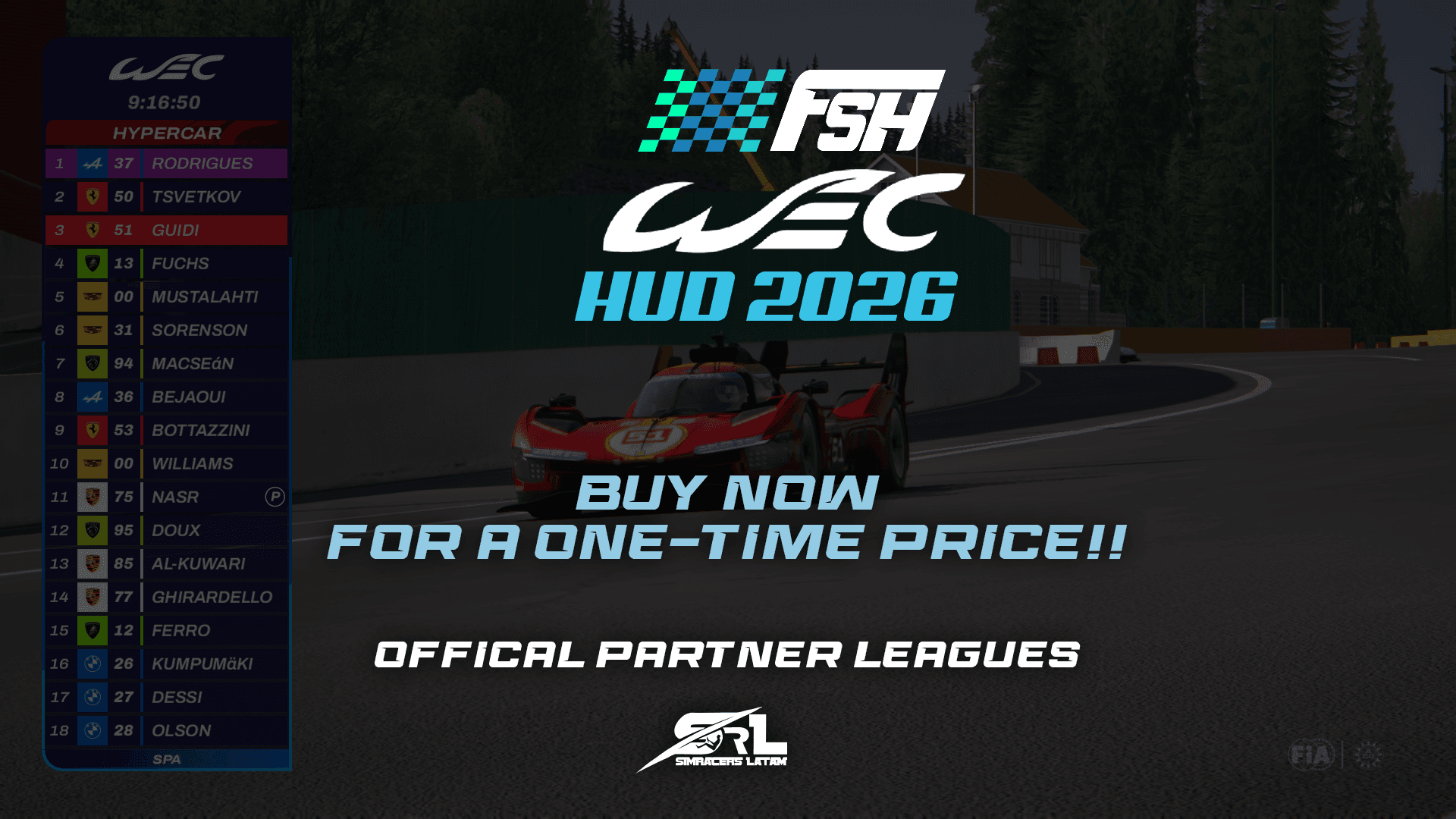
FSH WEC HUD 2026
This HUD is based on the one actually used in World Endurance Championship broadcasts.
$7.00USD
Secure Checkout
Payments are encrypted and processed securely. Instant delivery to your email and library.
About this HUD
The graphics and standings were updated in mid-2025, and we’ve been working on this version ever since. It’s not quite finished yet, but it’s polished enough to be enjoyed.This time, we’ve worked on several elements across various features—from the leaderboard’s unique functions to interactive elements.We have the table, which includes several features:-Compact mode-Full names mode-ABC names TIME/GAP mode-Current Tires mode-Virtual Energy Tank mode-and Multiclass 8+8 modeEach of these styles is included in the leaderboard and can be controlled via keybinds.It also has the following widgets:-Onboard-Drivers Lineup-Timing LapsWe tried to make these widgets as close to the real ones as possible, and although we’re still missing the GAP, telemetry, and other ones, these will be in version 1.0.0It also includes a settings app so you can change everythingfrom classes to overwriting teams and even manufacturers/brands—how about that? Since some mods are licensed and can’t use real names and brands, we thought of this, and so you don’t have to change it manually, we added this feature that lets you set the name, brand color, and brand logo (we recommend that if you add more brands, use a canvas size of 500x500 pixels so the aspect ratio is correct, or at least maintain a 1:1 ratio for scaling)In the driver lineup feature, for those who play and race online with driver swap, the HUD will automatically recognize if the car has changed driversAdding the drivers who have already raced to the driver lineup in offline mode (against the AI)In offline mode, it uses the indicators found in the skin's skin_ui.json fileHow do the widgets work? First, you need to add the corresponding keybinding for each function in the settingsOnce you’ve added the keybind for the driver lineup (the widget detects when the session is a qualifying session and appears on its own anyway), you can make it appear for the driver you have focused on. Once you’ve done that, you can right-click on any other driver you want (up to a maximum of 2), and it will display those drivers’ sectorsThe driver lineup widget absolutely must be activated via a keybinding, and you need to assign one to it—just press the assigned key, and it will appear in the auto-focus view.And the onboard widget is smart—it only appears with the onboard cameras or the first-person view, so it doesn't need a keybinding since it works on its own
Installation processTo install, simply drag the ZIP file into the Content Manager and then click on install.CSP version 0.2.8 or higher is required.
Patch Notes
This version mainly contains bug fixes and a small additionBug fixed:The issue that prevented the HUD from continuing to work when switching sessions or restarting the session, in both online and offline modes, has been fixedAdded:The 24 Hours of Le Mans logo has been added to the header of the leaderboard (just like the real one)The 24 Hours of Le Mans logo has been added to replace the watermark in the bottom right-hand corner (as in the real broadcast)This “special” mode can be switched directly from the settings app; in the appearance tab, you can choose between Le Mans mode and WEC mode